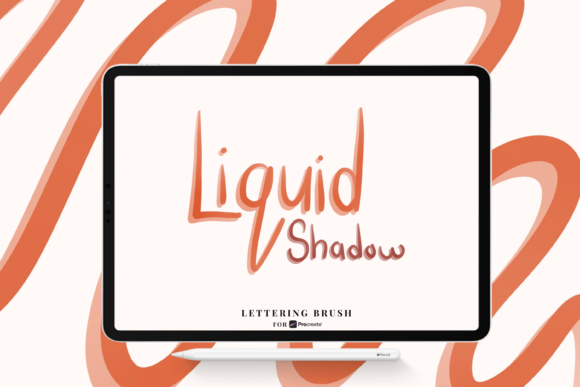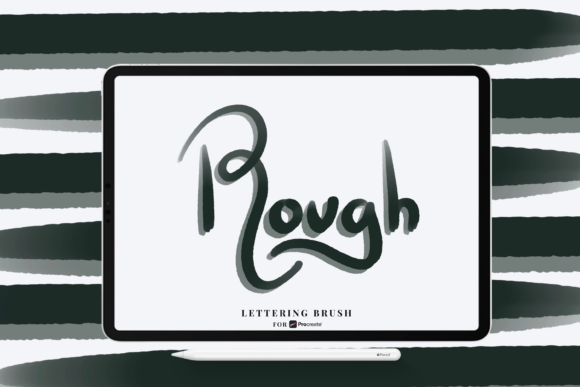
Mastering Texture and Depth with the Rough Shadow Procreate Lettering Brush
Digital lettering has evolved far beyond clean, vector-like precision. In recent years, there has been a massive shift toward organic, hand-crafted aesthetics that mimic the imperfections of traditional media. Artists and designers are constantly searching for tools that bridge the gap between the tactile feel of ink on paper and the convenience of digital editing. This is where specialized tools like the Rough Shadow Procreate Lettering Brush become indispensable. It is not just another brush in your library; it is a specific instrument designed to add weight, dimension, and character to your typography.
The core appeal of this tool lies in its ability to replicate the natural variation found in hand-lettered shadows. Unlike standard digital brushes that often produce uniform, sterile lines, the Rough Shadow brush introduces a controlled chaos. It understands the nuance of your hand movement, translating slight tremors and pressure changes into visual texture. For anyone serious about modern calligraphy, logo design, or illustrative typography, understanding how to leverage this specific brush can dramatically elevate the quality of your work.
The Mechanics of Pressure and Opacity
To truly appreciate the utility of the Rough Shadow brush for Procreate, one must understand how it interacts with the Apple Pencil. The brush is engineered specifically to utilize the hardware capabilities of iPad devices, focusing on two critical data points: pressure sensitivity and tilt. However, its most distinct feature is how it handles opacity in relation to pressure.
When you press lightly with the Apple Pencil, the brush does not merely create a thinner line; it reduces the opacity. This creates a translucent, airy effect that mimics the way a dry marker or a light hand with charcoal might behave on textured paper. As you increase pressure, the stroke becomes denser and more opaque. This dynamic range allows for incredible expressiveness. You can build up layers of shadow gradually, creating a sense of depth that feels three-dimensional rather than flat.
This behavior is crucial for lettering artists who want to avoid the "sticker effect," where drop shadows look like they were pasted on top of the main text. With the Rough Shadow brush, the shadow feels integrated into the composition. It breathes with the main letterforms, responding to the same rhythmic flow of the writer’s hand. The result is a cohesive piece where the light source and shadow direction feel intuitive and natural.
File Format and Compatibility
It is important to note the technical specifications before purchasing or downloading. The Rough Shadow Brush comes in the .brush format. This is a proprietary file type exclusive to Procreate. If you are using other digital art software such as Adobe Fresco, Photoshop, or Clip Studio Paint, this specific file will not be compatible. This limitation ensures that the brush is optimized entirely for the Procreate engine, taking full advantage of its rendering capabilities without the need for cross-platform compromises.
For Procreate users, installation is straightforward. Once imported, the brush sits ready in your library, requiring no complex configuration. It is designed to work out of the box, respecting the default settings of your canvas while offering enough customization for advanced users who wish to tweak streamlining or size limits. This ease of use makes it accessible for beginners while remaining powerful enough for professionals who need reliable tools under tight deadlines.
Integrating Rough Shadows into Modern Workflows
In today’s fast-paced creative industry, efficiency is just as important as aesthetics. The Rough Shadow Procreate Lettering Brush fits seamlessly into various workflows, from quick social media graphics to detailed client commissions. Its primary benefit is speed. Creating realistic, textured shadows manually using standard round brushes can be time-consuming, requiring multiple layers, blending modes, and manual erasing to achieve a rough edge.
With this specialized brush, what used to take twenty minutes can often be achieved in two. This allows designers to iterate faster. You can experiment with different shadow angles, lengths, and intensities without committing hours to refinement. This agility is particularly valuable in commercial projects where clients may request multiple revisions. Being able to adjust the shadow’s character quickly means you can respond to feedback in real-time during consultations.
Furthermore, this brush supports a hybrid workflow. Many artists start with a rough sketch, refine their letterforms, and then add color and shading. The Rough Shadow brush is ideal for the final staging of this process. It adds that final layer of polish that makes a piece look finished and professional. It works exceptionally well with textured backgrounds, as the rough edges of the shadow interact visually with the grain of the background, creating a unified composition.
Practical Applications and Use Cases
Where exactly should you use this tool? The versatility of the Rough Shadow brush extends beyond simple drop shadows. Here are several scenarios where it shines:
- Vintage Poster Design: Create authentic mid-century modern or retro advertisements where imperfect, hand-printed textures are essential for credibility.
- Logo Development: Add subtle depth to monoline logos without making them look too corporate or rigid. The roughness adds approachability and warmth.
- Social Media Content: Stand out in feeds dominated by clean, digital minimalism. Text with organic shadows catches the eye and feels more human.
- Packaging Mockups: When designing labels for artisanal products like coffee, beer, or handmade soaps, the rough shadow complements the craft aesthetic perfectly.
Each of these applications benefits from the brush’s ability to convey tactility. In a digital world, consumers crave connection to the physical. A lettering piece that looks like it was drawn with a real tool fosters that emotional connection.
Techniques for Best Results
While the brush is powerful, mastering it requires practice. Here are some practical tips to get the most out of your Rough Shadow Procreate Lettering Brush:
- Mind Your Angle: Consistency is key in lettering. Decide on your light source before you begin. If the light is coming from the top left, your shadows should consistently extend to the bottom right. The brush will handle the texture, but you must control the direction.
- Layer Management: Place your shadow layer beneath your main lettering layer. This ensures that the shadow appears behind the letters, creating a realistic occlusion effect. You can also lower the opacity of the entire shadow layer if the effect is too strong.
- Pressure Control: Practice varying your pressure within a single stroke. Start light, press hard in the middle, and lift off gently. This creates a shadow that tapers naturally, avoiding blunt, awkward ends.
- Color Selection: Avoid pure black for shadows. Real shadows are rarely black; they are darker versions of the background or complementary colors. Try using a deep blue, purple, or brown to create a more vibrant and sophisticated look.
By combining these technical considerations with the inherent qualities of the brush, you can achieve results that look effortlessly professional. The Rough Shadow brush for Procreate is not a magic wand, but it is a highly refined tool that rewards skillful handling.
Why Choose Specialized Brushes?
Some artists hesitate to invest in specialized brushes, preferring to stick with default options. However, the difference in output quality is often stark. Default brushes are designed to be generalists. They do everything adequately but nothing exceptionally. A brush like the Rough Shadow Procreate Lettering Brush is a specialist. It solves a specific problem—adding organic, pressure-sensitive texture to shadows—with precision.
Using the right tool reduces friction in the creative process. When you don’t have to fight against your software to achieve a certain look, you can focus more on composition, message, and style. This leads to higher satisfaction with your work and a more enjoyable creative experience. In an era where digital art is ubiquitous, having unique textures in your arsenal helps your work stand out. It gives your portfolio a signature look that clients and followers can recognize.
Ultimately, the decision to adopt this brush comes down to your commitment to quality and authenticity in your lettering. If you value the hand-made aesthetic and want to streamline your workflow without sacrificing detail, the Rough Shadow Brush is a worthy addition to your digital toolkit. It empowers you to create lettering that is not just read, but felt.