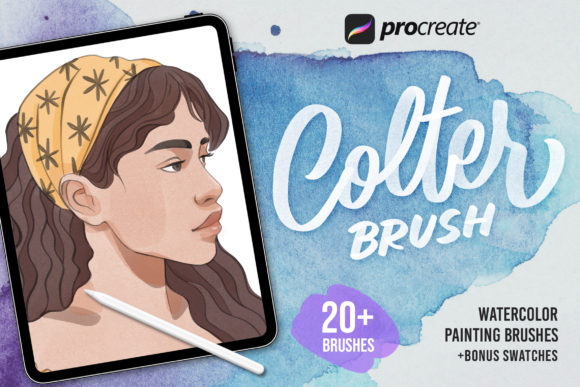
Mastering Digital Watercolor with the Procreate Colter Brush Collection
The transition from traditional media to digital art often presents a significant hurdle for artists: replicating the organic, unpredictable beauty of water-based paints. While digital tools offer precision and undo buttons, they frequently lack the soulful texture and fluidity that define classic watercolor painting. This is where specialized toolsets become essential. The Procreate Colter Brush - Watercolor collection addresses this gap by providing a robust suite of digital instruments designed specifically to mimic the behavior of real pigments on paper. For creators working within the iOS ecosystem, these brushes offer a bridge between tactile tradition and modern convenience, allowing for expressive workflows that feel intuitive rather than mechanical.
It is crucial to understand the technical environment for these tools. The PROCREATE COLTER BRUSH WATERCOLOR assets are engineered exclusively for the Procreate application on iPad. They do not function in Adobe Photoshop, Clip Studio Paint, or other desktop-based software. This specificity ensures that the brush engines leverage Procreate’s unique rendering capabilities, resulting in performance and aesthetic qualities that are optimized for touch interfaces and Apple Pencil pressure sensitivity. Whether you are a seasoned illustrator or a hobbyist exploring digital mediums for the first time, understanding the scope and capability of this brush set can significantly elevate your creative output.
The Architecture of the Colter Brush System
The effectiveness of any digital brush lies in its underlying architecture. The Colter Brush collection is not merely a single tool but a comprehensive ecosystem comprising twenty distinct watercolor brushes. This variety allows artists to move through different stages of the painting process without switching apps or importing external assets. The collection is categorized into functional types that mirror the workflow of traditional watercolorists:
- Sketch Brushes: Ideal for laying down initial compositional lines with a loose, graphite-like feel that blends softly when painted over.
- Watercolor Brushes: The core of the set, these simulate wet-on-wet and wet-on-dry techniques, allowing for smooth gradients and hard edges depending on layer opacity and flow settings.
- Paper Texture Brushes: These add granular detail, mimicking the tooth of cold-press or hot-press watercolor paper, which is vital for achieving realistic pigment settlement.
- Splash Brushes: Designed for adding spontaneous, organic droplets and splatters that break up uniformity and add energy to a piece.
- Swash Brushes: Perfect for calligraphic elements and dynamic strokes that vary in width and intensity.
In addition to the brushes themselves, the package includes twenty swatches and color palettes. These pre-configured colors are curated to work harmoniously with the brush textures, reducing the time spent on color theory experimentation and allowing artists to focus on form and light. The inclusion of these palettes demonstrates a thoughtful approach to user experience, acknowledging that color selection is as critical as brush dynamics in watercolor art.
Versatility Across Creative Disciplines
One of the most compelling aspects of the Procreate Colter Brush - Watercolor set is its adaptability. While "watercolor" suggests a specific fine-art style, the utility of these brushes extends far beyond landscape painting. Professionals and amateurs alike can apply these tools across a diverse range of creative projects.
Portrait Illustration and Character Design
Rendering skin tones and soft facial features requires a delicate touch. The watercolor brushes in this collection allow for subtle blending, making them excellent for portrait work. Artists can build up layers of translucent color to create depth and warmth, avoiding the flat, plastic look that sometimes plagues digital portraits. The ability to control water flow digitally means you can achieve soft blushes and shadow transitions that would be difficult to manage with physical paints without risking muddiness.
Botanical and Floral Art
Flowers are a natural subject for watercolor due to their organic shapes and translucent petals. The PROCREATE COLTER BRUSH WATERCOLOR tools excel here, particularly when using the splash and swash brushes to create stamens, leaves, and random petal variations. The texture brushes help replicate the veining in leaves, adding a level of botanical accuracy that enhances the realism of the illustration.
Lettering and Typography
Hand-lettering has seen a surge in popularity, and watercolor typography is a standout style. The swash brushes provide the necessary variation in stroke width, while the watercolor bleed effect adds an artisanal charm to quotes and logos. Designers can create unique typographic assets that feel hand-crafted, offering a personal touch that standard fonts cannot match.
Photo Editing and Mixed Media
Photographers and mixed-media artists can use these brushes to overlay artistic elements onto photographs. By adjusting layer modes such as Multiply or Overlay, users can paint watercolor effects directly onto photos, creating dreamy, ethereal composites. This technique is popular in wedding photography edits and social media content creation, where a soft, artistic aesthetic is desired.
Accessibility for Beginners and Professionals
A common misconception about professional-grade digital tools is that they require a steep learning curve. However, the Colter Brush is designed with accessibility in mind. For beginners, the brushes are "plug-and-play." There is no need to tweak complex engine settings or adjust stability curves manually. The default configurations are balanced to produce pleasing results immediately upon contact with the canvas. This lowers the barrier to entry, allowing new users to focus on fundamental skills like composition and color mixing rather than technical troubleshooting.
For professionals, the value lies in consistency and speed. Experienced artists often spend hours creating custom brushes to achieve a specific look. The Procreate Colter Brush - Watercolor collection provides a reliable, high-quality baseline that can be used for client work or personal projects. Furthermore, because the brushes are optimized for performance, they maintain responsiveness even on larger canvases, ensuring that the workflow remains uninterrupted.
Technical Compatibility and Integration
Understanding software compatibility is vital for a smooth user experience. These brushes are fully compatible with Procreate 5X and earlier versions. This backward compatibility is a significant advantage, as it ensures that users with older iPads or those who have not updated their software can still utilize the full potential of the brush set. It reflects a commitment to inclusivity, recognizing that not all creators operate on the latest hardware or software iterations.
It must be reiterated that these files are proprietary to the Procreate environment. Attempting to import them into Photoshop or other applications will result in errors or non-functional tools. This limitation is not a drawback but a specialization. By focusing solely on Procreate, the developers have ensured that the brush dynamics interact perfectly with the app’s specific gesture controls, layer blending modes, and apple pencil tilt recognition. Users should ensure they have the Procreate app installed on their iOS device before purchasing or downloading the brushes.
Enhancing Workflow Efficiency
The inclusion of twenty color swatches and palettes is more than a bonus; it is a workflow enhancer. In traditional watercolor, mixing colors on a palette is a physical act that requires time and cleanup. In digital art, selecting the right hue can also be time-consuming if one relies solely on the color wheel. The provided palettes offer curated combinations that are known to work well with the brush textures. This allows artists to jump straight into the creative process. For educators, these palettes can serve as teaching tools, demonstrating how certain color groups interact when applied with watercolor dynamics.
Moreover, the variety of brush types—sketch, texture, splash—means that an artist can complete an entire piece within a single toolset. There is no need to switch between a sketching app, a painting app, and a texturing tool. This consolidation streamlines the creative process, reducing file management issues and keeping the artist in a state of flow.
Considerations for Optimal Use
To get the most out of the PROCREATE COLTER BRUSH WATERCOLOR collection, users should consider a few best practices. First, experiment with opacity and flow settings. While the defaults are excellent, adjusting these parameters can yield different effects, from faint washes to bold, saturated strokes. Second, utilize the layering system in Procreate. Watercolor relies on transparency; building up color in multiple thin layers often produces more vibrant and realistic results than trying to achieve depth in a single pass.
Additionally, take advantage of the paper texture brushes. Applying a subtle texture layer beneath your painting can unify the piece and give it a cohesive, traditional feel. This step is often overlooked by digital beginners but is a hallmark of professional digital watercolor work.
If you encounter any issues with installation or have questions about specific brush behaviors, support is available. The creator encourages users to reach out with inquiries, ensuring that technical hurdles do not impede creativity. This level of support adds value to the product, transforming it from a simple file download into a supported creative resource.
In conclusion, the Procreate Colter Brush - Watercolor collection represents a sophisticated tool for digital artists seeking authenticity in their work. By combining ease of use with professional-grade dynamics, it serves a wide audience, from students learning the basics of digital painting to professionals delivering high-end illustrations. Its exclusive design for the iOS Procreate app ensures optimal performance, while its diverse brush types and included palettes provide a complete solution for watercolor-style creation. Embracing these tools can open new avenues for expression, allowing artists to enjoy the fluid beauty of watercolor without the constraints of physical media.