Lettering Love 24: Procreate Brush Guide
In the evolving landscape of digital design, the tools we choose define not just our workflow, but the very texture of our creativity. For artists, designers, and entrepreneurs working within the iPad ecosystem, finding a brush that bridges the gap between technical precision and organic warmth is essential. The Procreate Brush - Lettering Love 24 emerges as a standout solution for those seeking to infuse their projects with handcrafted elegance. Designed specifically for Procreate 5 and above, this tool is more than a simple digital asset; it is a gateway to creating sophisticated lettering, modern calligraphy, and personalized graphics that resonate with audiences on a human level.
The Art of Digital Hand-Lettering
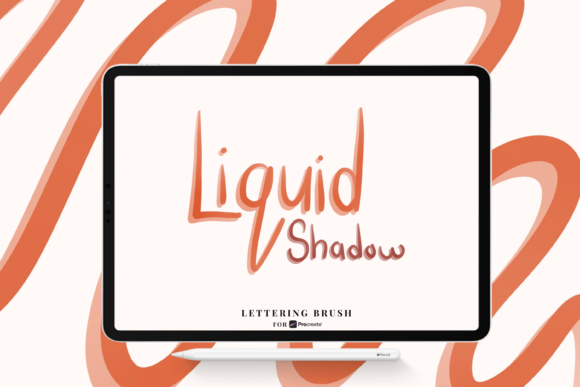
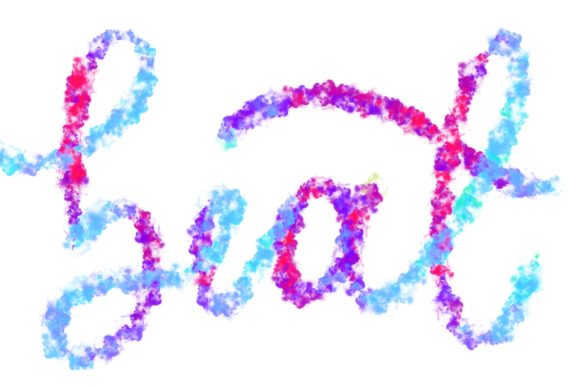
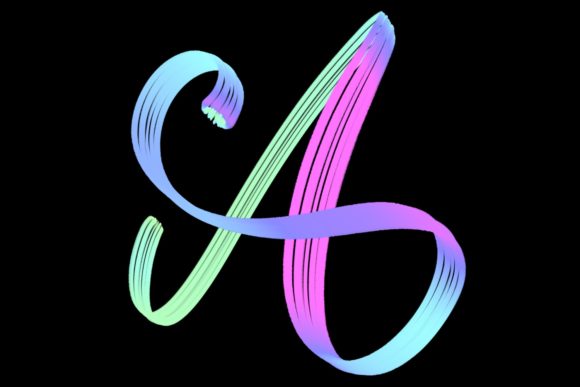
Digital lettering often suffers from a sterile, uniform appearance when created with standard vector tools or basic fonts. While clean lines have their place, there is an undeniable emotional connection forged through the imperfections and nuances of hand-drawn typography. The Lettering Love 24 brush set addresses this by replicating the tactile feedback of traditional media. Because it is hand-drawn and meticulously engineered for pressure sensitivity, it responds dynamically to the weight and speed of your Apple Pencil strokes. This responsiveness allows creators to produce elegant letters that vary in thickness and texture, mimicking the natural flow of ink on paper.
For modern calligraphers, this means achieving the coveted contrast between thick downstrokes and delicate upstrokes without fighting against the software. The brush’s design encourages a fluid motion, making it ideal for both beginners learning the fundamentals of script and seasoned professionals looking to speed up their workflow without sacrificing quality. By integrating this brush into your toolkit, you elevate your workspace from a generic digital canvas to a studio capable of producing high-end, bespoke typographic art.
Versatile Applications for Creators and Businesses
The utility of the Lettering Love 24 extends far beyond simple practice sheets. Its versatility makes it a valuable asset for a wide range of professional and personal projects. Consider the following applications where this brush can significantly enhance your output:
- Wedding Stationery and Invitations: The wedding industry thrives on personalization. Couples seek invitations that reflect their unique story, and nothing says "custom" like hand-lettered names and dates. Using this brush, designers can create romantic, flowing scripts for save-the-dates, menu cards, and place settings that feel intimate and luxurious.
- Brand Identity and Logos: Small business owners and freelancers often need logo designs that stand out in a crowded market. A hand-lettered logo created with Lettering Love 24 offers authenticity and approachability, perfect for boutiques, cafes, artisanal brands, and lifestyle coaches who want to convey warmth and craftsmanship.
- Social Media Graphics and Quote Designs: In the age of Instagram and Pinterest, visual content is king. Marketers and bloggers can use this brush to overlay inspirational quotes or key messages onto photographs. The organic texture of the lettering breaks up the rigidity of digital layouts, increasing engagement and shareability.
- Greeting Cards and Print-on-Demand: Whether for holidays, birthdays, or special occasions, greeting cards benefit from the personal touch of calligraphy. Entrepreneurs running print-on-demand shops can utilize these brushes to design unique patterns and typographic compositions that appeal to niche audiences looking for something beyond mass-produced options.
Technical Requirements and Compatibility
To fully leverage the capabilities of this brush set, it is crucial to understand its technical environment. The Procreate Brush - Lettering Love 24 is engineered exclusively for the Procreate app on iPad. It relies heavily on the advanced pressure-sensitive technology found in the Apple Pencil. This symbiosis between hardware and software ensures that every tilt, tap, and sweep translates accurately into digital ink.
It is important to note that this brush is not suitable for Photoshop, Illustrator, or any desktop-based computer software. Attempting to use it outside the Procreate ecosystem on iPad Pro or compatible iPad models will result in a loss of functionality and aesthetic quality. Users must ensure they are running Procreate version 5 or higher to access the full range of features and stability optimizations included in this set. This specificity ensures that the brush performs consistently, providing a reliable experience for professionals who cannot afford technical glitches during client work.
Strategies for Consistent and Professional Results
While having a superior tool is a significant advantage, mastering it requires intention and practice. To keep your results clear, effective, and audience-friendly, consider adopting the following strategies when working with Lettering Love 24:
- Master Pressure Control: Spend time practicing basic strokes before diving into complex words. Focus on maintaining consistent pressure for downstrokes and lifting lightly for upstrokes. This foundational skill ensures your lettering looks confident rather than hesitant.
- Utilize Layers Wisely: Keep your sketch layer separate from your final ink layer. Use a low-opacity pencil brush to draft your composition, then create a new layer for the Lettering Love 24 brush. This non-destructive workflow allows you to refine shapes and correct mistakes without compromising the integrity of your final piece.
- Balance Composition: When creating quote designs or logos, pay attention to negative space. Hand-lettering can sometimes feel dense; ensure there is enough breathing room around your letters to maintain readability and visual appeal. Adjust the size and spacing of your words to guide the viewer’s eye naturally through the design.
- Experiment with Color and Texture: Don’t limit yourself to black ink. The brush works beautifully with muted pastels, deep jewel tones, or even metallic hues if you adjust the layer blending modes. Combining the organic texture of the brush with subtle background textures can add depth and sophistication to your final export.
Empowering Your Creative Workflow
For educators, hobbyists, and publishers, the Procreate Brush - Lettering Love 24 offers a way to democratize high-quality design. It lowers the barrier to entry for creating professional-grade typography, allowing individuals without years of traditional calligraphy training to produce stunning results. However, it also serves seasoned designers by speeding up the initial drafting phase, allowing them to iterate quickly on concepts before moving to final refinement.
The key to maximizing this tool lies in viewing it not just as a brush, but as a partner in your creative process. It invites you to slow down, focus on the rhythm of your handwriting, and inject personality into your digital work. Whether you are designing a logo for a new startup, creating heartfelt wedding invitations, or simply journaling for personal growth, this brush set provides the flexibility and elegance needed to bring your vision to life.
By integrating Lettering Love 24 into your daily workflow, you are choosing to prioritize authenticity in a digital world. You are opting for designs that feel human, connected, and thoughtful. As you explore its potential, remember that the best results come from a blend of technical understanding and creative freedom. Let the brush guide your hand, but let your intent guide your design. With practice and patience, you will find that this tool does more than just create letters; it helps you communicate with clarity, style, and heart.