Pastel Gradient Procreate Color Palette Guide
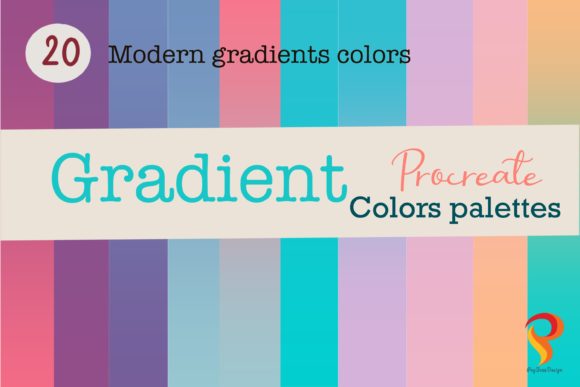
In the fast-paced world of digital art and social media branding, visual consistency is not just an aesthetic choice; it is a strategic asset. The Pastel Gradient Procreate Color Palette has emerged as a vital tool for creators who wish to blend softness with sophistication. Inspired by the curated feeds of Instagram influencers and the sleek packaging of modern cosmetics brands, these colors offer a bridge between artistic expression and commercial appeal. Whether you are a freelance illustrator, a small business owner designing product labels, or a hobbyist looking to elevate your digital journaling, understanding how to leverage these hues can transform your workflow and output.
The Psychology and Appeal of Soft Gradients
Pastel gradients do more than fill space; they evoke emotion. The transition from one soft hue to another mimics natural phenomena like sunsets, blooming flowers, and morning skies. This organic quality makes the Pastel gradient inherently calming and inviting. In marketing and branding, this translates to trust and approachability. Cosmetics companies have long utilized these tones to suggest purity, gentleness, and luxury. By adopting a similar palette in your digital work, you tap into this established visual language.
Unlike stark, high-contrast color schemes that demand immediate attention, pastel gradients invite the viewer to linger. They provide a subtle backdrop that allows foreground elements—such as typography, product photography, or intricate line work—to shine without competition. This balance is crucial for creating content that feels professional yet accessible, a key requirement for engaging modern audiences on platforms like Instagram and Pinterest.
Practical Applications for Creators and Entrepreneurs
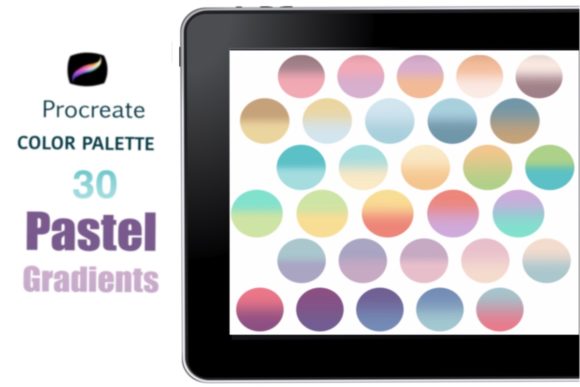
The versatility of a Procreate color palette dedicated to pastels extends far beyond simple background fills. Here is how different professionals can integrate these thirty carefully selected colors into their daily projects:
- Social Media Branding: Create a cohesive Instagram grid by using consistent gradient backgrounds for quote cards, announcements, or story highlights. This uniformity helps followers instantly recognize your content in a crowded feed.
- Digital Lettering and Calligraphy: Pastel gradients serve as excellent canvases for hand-lettered quotes. The soft transitions ensure that dark or bold lettering remains legible while adding depth to the composition.
- Product Mockups and Packaging: Designers can use these swatches to simulate packaging materials for skincare, stationery, or apparel. The realistic blending capabilities in Procreate allow for precise visualization of how a brand’s identity will look in physical form.
- Educational Materials: Educators and course creators can use these gentle colors to design worksheets, slide decks, and e-book covers that are easy on the eyes, reducing cognitive load for students.
Mastering the Technique: From Swatch to Smooth Blend
Having the right tools is only half the battle; knowing how to use them effectively is what separates amateur designs from professional-grade artwork. The process of creating a seamless pastel gradient in Procreate is straightforward but requires attention to detail. Here is a practical guide to achieving that flawless, airbrushed look using the included swatches.
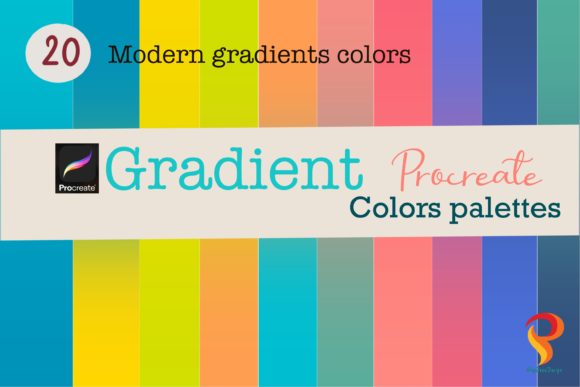
First, select your desired colors from the Pastel Gradient Procreate Color Palette. It is often effective to choose two or three adjacent tones that complement each other, such as a soft peach transitioning into a muted lavender. Using a Monoline brush, paint each color onto your canvas in distinct blocks or stripes. Do not worry about the hard edges at this stage; the goal is simply to place the pigment.
Next, navigate to the Adjustments menu and select the Magic Wand tool, then choose Gaussian Blur. This step is critical. By sliding the blur indicator to the right, you soften the boundaries between the colors. Continue adjusting until the transition is smooth and the individual color blocks are no longer distinguishable. The result should be a harmonious blend that looks effortless. This technique allows for infinite variations, enabling you to create unique backgrounds for every project while maintaining a consistent brand aesthetic.
Curating Your Instagram Post Theme Ideas
Consistency is the cornerstone of a successful social media presence. When planning your content calendar, consider how the Pastel gradient can serve as the unifying thread across diverse post types. For instance, you might dedicate specific days to certain color combinations within the palette. "Motivation Monday" could feature energizing yellow-to-pink gradients, while "Wellness Wednesday" might utilize calming blue-to-green transitions.
Beyond static posts, these gradients are ideal for video covers and reel thumbnails. A soft, moving gradient can capture attention in the feed without being distracting. Furthermore, using these colors for text overlays ensures readability. When placing white or dark text over a pastel background, always check the contrast ratio to ensure accessibility. The subtle nature of pastels means that very light text may get lost, so opting for deep charcoal or navy for typography often yields better results than pure black, which can appear too harsh against soft hues.
Technical Details and Instant Access
For those ready to streamline their creative process, this listing offers an INSTANT DOWNLOAD of the 30-color Pastel Gradient Procreate Color Palette. It is important to note that this is a digital product; you will not receive a physical item. The files are optimized for the newest Procreate updates, ensuring compatibility with the latest features and brush engines.
Upon purchase, you will receive a zip file containing:
- One .swatch file containing all 30 curated colors.
- Six JPG files serving as visual guides for the color combinations.
- An image guide displaying all colors for quick reference.
Installation is simple. After downloading the file, open it directly within Procreate. The palette will automatically import and be ready at your fingertips, allowing you to start creating immediately. This ease of access removes the friction of manual color selection, letting you focus on the artistic aspect of your work rather than the technical setup.
Elevating Your Artistic Success
Incorporating a specialized Procreate color palette into your workflow is more than a convenience; it is an investment in your brand’s identity. By utilizing elements inspired by successful Instagram themes and cosmetics branding, you align your work with current design trends that resonate with audiences. The Pastel Gradient Procreate Color Palette provides the foundation for this alignment, offering a versatile range of tones that can be adapted for lettering, backgrounds, and complex illustrations.
Remember, the goal is not just to make your artwork look fabulous, but to make it effective. Use these colors to guide the viewer’s eye, evoke the desired emotional response, and maintain a professional standard across all your platforms. With the right techniques and a well-curated set of tools, you can turn simple digital canvases into compelling visual stories that drive engagement and success.