Elevate Design with Watercolor Stamps
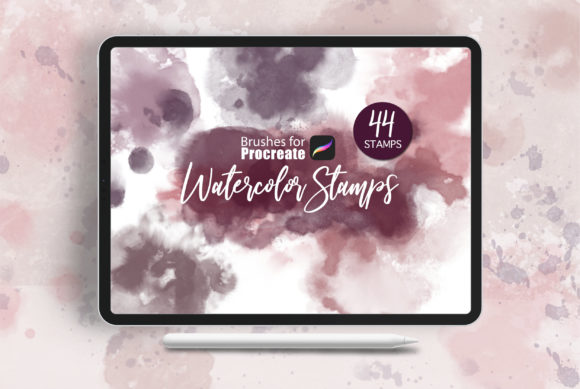
In the rapidly evolving landscape of digital art, the fusion of traditional textures with modern software capabilities offers a unique competitive edge. Procreate - Watercolor Stamps represents a pivotal resource for designers seeking to infuse organic warmth into their digital workflows. This curated collection of forty specialized brushes allows creators to bypass the steep learning curve of manual watercolor techniques while maintaining the authentic, fluid aesthetic that clients and audiences crave.
For professional graphic designers, the challenge often lies not in creating art, but in creating it efficiently without sacrificing quality. These stamps serve as high-quality creative assets that bridge the gap between hand-painted charm and digital precision. Whether you are working on a delicate editorial design piece or a bold social media campaign, the ability to instantly apply realistic watercolor effects can significantly enhance your visual hierarchy and overall composition.
The Strategic Value of Organic Textures in Branding
Modern aesthetics often lean towards minimalism, yet there is a growing demand for tactile, human-centric elements in brand identity. Incorporating watercolor elements helps soften corporate edges, making brands appear more approachable and authentic. When utilized in logo design or packaging design, these textures add depth and personality that flat vectors simply cannot achieve alone.
The versatility of this brush set supports a wide range of applications. Consider how a subtle watercolor wash can transform a standard business card into a memorable keepsake, or how a vibrant splash can draw attention to a key message in digital marketing materials. The psychological impact of color and texture plays a crucial role in user experience, guiding the viewer’s eye and evoking specific emotional responses.
Practical Applications Across Design Disciplines
Integrating these stamps into your design workflow opens up numerous possibilities across various mediums. Here is how you can leverage these tools effectively:
- Brand Identity: Use soft edges and fluid shapes to create unique logos that stand out in crowded markets.
- Social Media Graphics: Add dynamic backgrounds or accent elements to increase engagement and stop the scroll.
- Web and UI Design: Incorporate subtle textures to break up white space and add visual interest without overwhelming the interface.
- Print and Editorial Design: Enhance magazine layouts, book covers, and invitations with sophisticated, hand-crafted details.
- Packaging Design: Create artisanal looks for product labels that suggest quality and craftsmanship.
Each application requires a thoughtful approach to ensure the watercolor elements complement rather than distract from the core message. For instance, in UI design, opacity and scale must be carefully managed to maintain readability and accessibility standards. In contrast, print design allows for richer saturation and bolder strokes, taking advantage of high-resolution output capabilities.
Technical Requirements and Workflow Integration
To fully harness the potential of these forty brushes, ensuring your hardware and software are up to date is essential. The pressure sensitivity of your input device directly influences the realism of the watercolor effect, allowing for natural variations in stroke width and opacity.
To get started, ensure you meet the following requirements:
- iPad Pro or a compatible iPad model
- Apple Pencil or a stylus with robust pressure sensitivity support
- Procreate Version 5.0 or higher
Once installed, these brushes integrate seamlessly into your existing library. The key to mastering them lies in experimentation with layer modes. Multiplying watercolor stamps over solid colors can create rich, deep tones, while using them on overlay layers can add subtle texture to photographs. Understanding how these interactions work is crucial for achieving a professional presentation.
Tips for Effective Implementation
When selecting and using these design elements, consistency is paramount. Establish a cohesive color palette that aligns with your brand guidelines before applying the stamps. This ensures that the organic nature of the watercolor does not clash with your established visual identity. Additionally, pay attention to scalability. While these stamps look stunning on large formats like posters, they may need simplification for smaller applications like favicons or mobile icons.
Typography also plays a vital role when pairing with watercolor elements. Clean, sans-serif fonts often provide a nice contrast to the fluidity of the paint, while serif fonts can enhance a vintage or elegant feel. Always prioritize readability; if a watercolor background competes with text, adjust the opacity or add a solid shape behind the typography to restore clarity.
Ultimately, the goal of using Procreate - Watercolor Stamps is to elevate your creative projects with efficiency and style. By combining technical proficiency with artistic intuition, you can produce work that resonates emotionally with your audience. Quality creative assets are not just about aesthetics; they are tools for better communication. Embracing these resources allows you to deliver polished, impactful designs that meet the high standards of today’s visual culture.